

How to Catalog Your Gold Jewelry Collection Right
The fastest, insurer-ready way to start cataloging your gold jewelry collection is to process each piece one at a time using a short standardized record, four essential photos, and secure digital backups. That single workflow covers everything: proof of ownership, replacement value documentation, and a record you can hand to an insurer or executor without scrambling.
Before you read another word, here are the five first steps:
- Gather all your pieces into one place, even if it takes two sessions.
- Set up a clean station with good light, a neutral background, and a ruler nearby.
- Photograph each piece from four angles: overview, detail, hallmark close-up, and a wearing or scale shot.
- Log the minimum fields for each item: a unique ID, metal type and karat, weight, and storage location.
- Back up your records to at least one cloud folder and one offline copy before you move on.
The time investment is smaller than most people expect. A single piece takes roughly 10–15 minutes from photo to logged record. The payoff is real: a documented collection is dramatically easier to insure, rotate for daily wear, and pass on to family.
Table of Contents
- How to catalog your gold jewelry collection, one piece at a time
- What should you record for each piece in your inventory?
- How to photograph jewelry at home with a smartphone
- How should you store gold jewelry to prevent damage?
- Which catalog system fits your collection size?
- What documents do U.S. owners need for insurance and proof of ownership?
- How do you tackle an inherited or very large collection?
- How do you back up and secure your jewelry inventory records?
- Your downloadable inventory template and a sample row
- Key Takeaways
- Why Bakergoldchains recommends starting your catalog today
- Useful sources and further reading
How to catalog your gold jewelry collection, one piece at a time
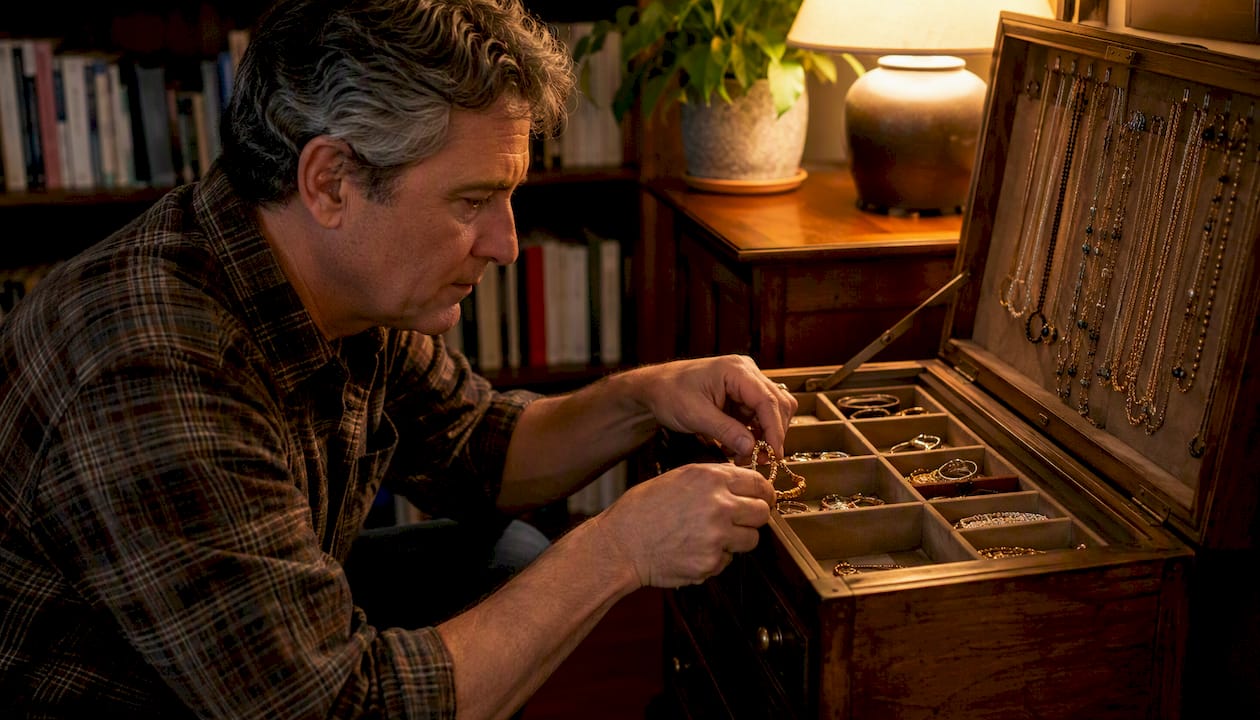
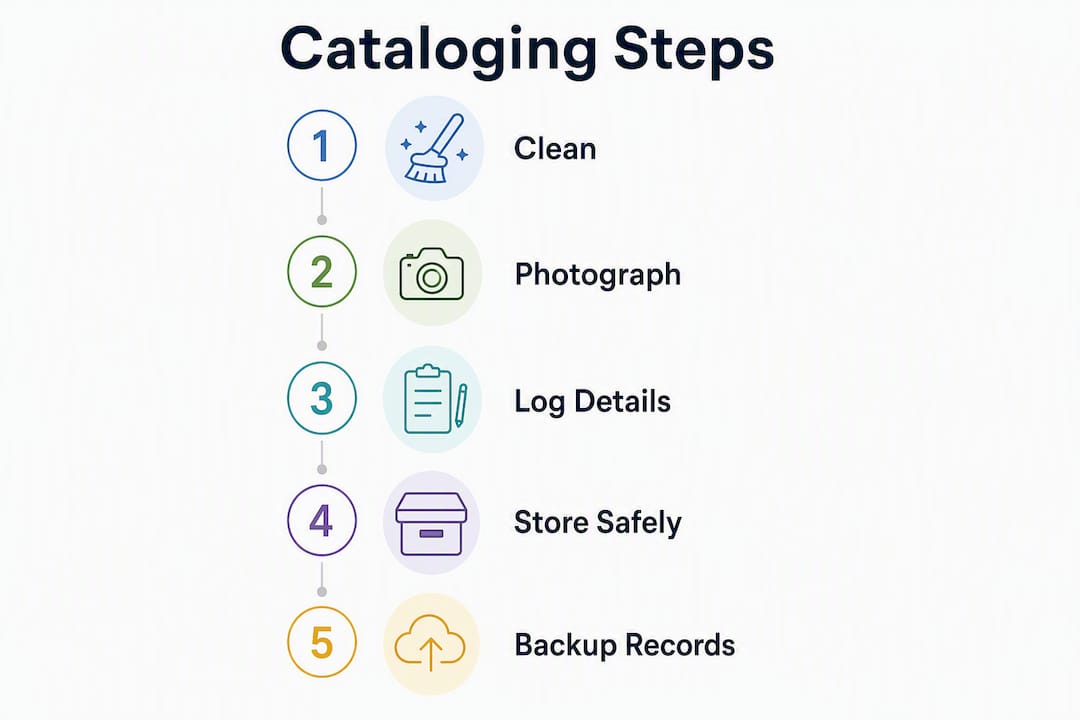
The one-piece workflow is the backbone of any good jewelry inventory. Pick up one item, complete every step below, then set it aside before touching the next piece. Mixing steps across multiple pieces is how records get confused and photos get mislabeled.
- Gather the piece from its current location and place it on your clean work surface.
- Surface-check and clean it with a soft, lint-free cloth. Wipe away fingerprints and dust. For high-karat gold, gentle wiping is all you need; avoid moisture on porous stones like emeralds or opals, and let the piece air-dry fully before bagging.
- Photograph it using the four-shot sequence described in the photography section below.
- Measure and note hallmarks. Use a digital gram scale for weight, a millimeter ruler for dimensions, and a loupe or phone macro lens to read karat stamps and maker’s marks.
- Log the record in your chosen system (paper, spreadsheet, or app) using the field list in the next section.
- Bag and label it. Place the piece in a small poly bag or soft pouch and write the inventory ID on the label.
- Return it to its designated storage location and note that location in your record.
A realistic session covers 5–10 pieces in about 60–90 minutes. Trying to push through 30 pieces in one sitting leads to shortcuts on photos and missing hallmark notes. Expert guidance from Rebekah Frank of Art Jewelry Forum confirms the value of starting small: process a single pile in one session and build momentum from there.
Pro Tip: Label each poly bag with its inventory ID before you place the piece inside. That way, even if your spreadsheet is closed, every item in storage is already identified.
What should you record for each piece in your inventory?
The minimum record that satisfies most U.S. insurers and works for estate transfer covers twelve fields. Every field below earns its place.
- Provenance and purchase info: — Where and when you bought it, from whom, and the purchase price. File receipts by year, as Art Jewelry Forum recommends.
Sample inventory row:
| Field | Example Entry |
|---|---|
| Unique ID | GJ-001 |
| Description | 14K yellow gold Cuban link bracelet |
| Metal / Karat | Gold / 14K |
| Gemstones | None |
| Hallmarks | 14K, maker stamp “BG” |
| Condition | Excellent |
| Provenance | Purchased at Bakergoldchains |
| Storage location | Tray 2, Compartment B |
| Photo filenames | GJ-001-overview.jpg, GJ-001-detail.jpg, GJ-001-hallmark.jpg, GJ-001-scale.jpg |
| Appraisal ref | Appraisal_GJ-001.pdf |

For collectors who want to go deeper, optional fields include maker biography notes, exhibition or wear history, cataloging tags (e.g., “heirloom,” “daily wear,” “investment”), and conservation notes for fragile or antique pieces.
How to photograph jewelry at home with a smartphone
Four shots per piece is the standard: an overview, a detail close-up, a hallmark image, and a wearing or scale photo. Together, they give an insurer everything needed to identify and value the item.
Simple at-home setup:
- Background: A sheet of white or light gray matte cardstock. Avoid glossy surfaces that create glare.
- Lighting: Natural daylight from a window (not direct sun) or two small LED panels placed at 45-degree angles. Avoid the phone’s built-in flash, which flattens detail.
- Stabilization: Prop your phone on a small tripod or a stack of books. Even slight movement blurs hallmark shots.
- Scale reference: Place a ruler or a standard coin (a U.S. quarter measures 24.26 mm) in the frame for the overview shot.
- Phone settings: Switch to portrait mode for detail shots; use the rear camera, not the selfie lens, for better resolution.
Shot list and file naming:
-
GJ-001-overview.jpg— Full piece on background with ruler in frame. -
GJ-001-detail.jpg— Close-up of the most distinctive design feature. -
GJ-001-hallmark.jpg— Karat stamp and maker’s mark, as large as the lens allows. -
GJ-001-scale.jpg— Piece worn or held in hand to show real-world size.
Store all four files in a folder named after the inventory ID. Insurers value dated wearing photos as evidence of ownership, so keep that fourth shot in a dedicated catalog folder rather than buried in your general photo library.
Pro Tip: For hallmark shots, clip a macro lens attachment onto your phone (under $20 on Amazon) and use a small flashlight held at a low angle to the surface. That raking light makes stamped text pop without washing it out.
How should you store gold jewelry to prevent damage?
Separation is the single most important storage rule. When pieces touch, diamonds scratch softer stones, chains tangle, and gold surfaces pick up micro-abrasions that dull the finish over time. GIA-backed guidance is consistent on this point: store every piece individually.
Recommended storage materials and methods:
- Individual compartments: A tray with 6–12 soft-lined compartments handles a curated daily-wear selection. For larger collections, modular trays with standardized dimensions let you expand without rearranging everything.
- Small poly bags: 2x3-inch poly bags are a professional standard for off-display storage. A pack of 100 costs under $6. Thread earring posts through their butterfly backs before bagging to keep pairs together, then write the inventory ID on the bag.
- Silica gel packets: Place one or two in each drawer or storage box to control humidity. Gold resists corrosion well, but moisture accelerates tarnish on mixed-metal pieces and can damage porous stones.
- Anti-tarnish strips: Useful for storage boxes that hold silver-accented gold pieces or mixed-metal sets.
- Avoid: Rubber-lined drawers (rubber off-gasses sulfur compounds that tarnish metal), unfinished cardboard interiors, and storing silver directly against gold without a barrier.
For chain-specific tangle prevention, hang necklaces on individual hooks inside a cabinet or lay each chain flat in its own compartment. Never coil multiple chains together.
Before placing any piece in storage: wipe it clean and let it dry completely. For porous or vintage items like emeralds, opals, or enamel work, skip moisture entirely and allow extended air-drying before sealing in a bag.
Which catalog system fits your collection size?
Match the system to your scale. Paper works for a handful of pieces; a spreadsheet handles most personal collections; dedicated apps pay off when you want photos embedded in each record and mobile capture on the go.
| System | Ease of setup | Photo support | Search | Export/print | Cost |
|---|---|---|---|---|---|
| Paper / index cards | Very easy | Physical prints only | Manual | Photocopy | Free |
| Google Sheets / Excel | Easy | Linked filenames | Filter/sort | CSV, PDF | Free |
| Airtable | Moderate | Inline image upload | Full-text | CSV, PDF | Free tier available |
| Sortly | Easy | In-record photos | Barcode scan | PDF, CSV | Free tier; paid plans |
| Memento Database | Moderate | In-record photos | Custom fields | CSV | Free tier; paid plans |
For most U.S. owners with 10–50 pieces, Google Sheets paired with a linked Google Drive photo folder is the most practical starting point. It costs nothing, exports to CSV in two clicks, and any insurer or attorney can open the file. If you want photos embedded directly in each record and mobile capture during travel, Airtable or Sortly are worth the small learning curve.
Preparing a printed insurer packet:
- Export your spreadsheet as a PDF or CSV.
- Print one page per high-value item, with the four photos and the appraisal reference on the same sheet.
- Store this packet in a fireproof document sleeve or a safe deposit box, separate from the jewelry itself.
For collectors who manage larger or retailer-scale inventories, structured catalog data practices offer a useful framework for thinking about field standardization and export formats.
What documents do U.S. owners need for insurance and proof of ownership?
Keep receipts, lab certificates, professional appraisals, and dated wearing photos stored separately from the jewelry and backed up digitally. That combination covers the four things a U.S. insurer typically needs to process a claim.
Insurance documentation checklist:
- Original receipts: Proof of purchase price and date. File by year and scan to PDF.
- Lab or gem certificates: GIA, AGS, or other lab reports for diamonds and significant colored stones. Include the certificate number in your inventory record.
- Professional appraisal: Should list metal karat, gemstone types and sizes, measurements, unique hallmarks, and replacement value. Appraisals should omit your home address to reduce risk if the document is stolen.
- Dated wearing photos: A timestamped photo of you wearing the piece is strong evidence of ownership. Store these in a dedicated catalog folder, not your general camera roll.
- Bills of sale and certificates of authenticity: Especially important for estate pieces or high-value chains where the seller provided written provenance.
Appraisal cadence: Have high-value pieces re-appraised every two to three years. Gold prices and gem market values shift, and an outdated appraisal can leave you underinsured. Insurers may require individually listing items above a certain value, so confirm your policy’s per-item threshold with your agent.
Presenting records to your insurer: Prepare a single packet per high-value piece containing the appraisal, receipt, gem certificate, and two photos (overview and hallmark). Label each packet with the inventory ID. Keep one physical copy in a fireproof location and one encrypted digital copy in cloud storage.
This article provides general information about jewelry documentation practices, not legal or insurance advice. Confirm current requirements with your insurer and a qualified appraiser.
How do you tackle an inherited or very large collection?
Use a simple A/B/C priority system to triage quickly, then work through each tier in order. Trying to fully catalog every piece before sorting leads to stalled projects.
Triage system:
- A items: High value, insurable, or items you know need appraisal. These get full records first.
- B items: Wearable daily pieces with known provenance. Full records in the second pass.
- C items: Sentimental pieces with low monetary value or unknown origin. Minimum record (ID, description, photo) now; expand later.
First-pass checklist for every piece:
- Assign a temporary ID (a sticky label works fine at this stage).
- Take one overview photo.
- Note the metal type and any visible hallmarks.
- Assign A, B, or C priority.
- Place in a labeled poly bag.
That first pass gives you a complete rough inventory without requiring you to know every detail upfront. For collections over 50 pieces, a four-column planning matrix covering metal type, stone type, fragility tier, and access frequency helps you design storage layout before you commit to a system. Building that matrix takes about 20 minutes and prevents costly rearrangements later.
For inherited pieces specifically: capture provenance notes while family knowledge is still accessible. Write down who the piece belonged to, when it was acquired, and any stories attached to it. Mark items that show signs of damage, unusual construction, or unknown stone types for expert conservation review. Pieces with rarity or collectibility value deserve priority appraisal before they are worn or stored with other items.
How do you back up and secure your jewelry inventory records?
Keep at least one encrypted cloud copy and one offline copy, and protect both accounts with strong passwords and two-factor authentication. A catalog that exists only on one device is one hard drive failure away from being lost.
Backup checklist:
- Cloud storage: Google Drive, iCloud, or Dropbox with a dedicated “Jewelry Catalog” folder. Enable version history so earlier records are recoverable.
- Offline encrypted drive: Export your spreadsheet and photo folder to an external drive monthly. Use a drive with hardware encryption or encrypt the folder with software like VeraCrypt.
- Regular export schedule: Set a calendar reminder to export and back up after every cataloging session, or at minimum once a month.
- Password manager: Use 1Password, Bitwarden, or a similar tool to generate and store strong, unique passwords for every account that holds catalog data.
- Two-factor authentication (2FA): Enable it on your cloud storage, email, and any inventory app accounts.
- Share with a trusted person or executor: Give a trusted family member or attorney access to the cloud folder, or store a printed index in your estate documents. This is especially important for high-value collections.
- Keep appraisals and ownership documents separate from the jewelry’s physical location. A digital copy in the cloud and a physical copy in a safe deposit box is the standard professional recommendation.
Encryption matters most for appraisal documents, which list item values and sometimes location details. An unencrypted PDF sitting in an unsecured email account is a real risk if that account is compromised.
Your downloadable inventory template and a sample row
The template below maps directly to the twelve fields described earlier and exports cleanly to CSV for insurers or attorneys. Copy the column headers into Google Sheets, or download a pre-built version and import it into Airtable or Sortly.
Template columns:
| Column | Notes |
|---|---|
| ID | Unique code (e.g., GJ-001) |
| Photo filenames | Comma-separated list of all four image files |
| Description | Plain-language name of the piece |
| Metal type | Gold, silver, platinum, mixed |
| Karat | 10K, 14K, 18K, or as stamped |
| Weight (g) | Measured on a digital gram scale |
| Gemstones | Type, size (mm or ct), certificate number |
| Dimensions (mm) | Length × width × depth |
| Hallmarks / maker | Exactly as stamped on the piece |
| Purchase info | Date, seller, price |
| Appraisal reference | Appraiser name, date, document filename |
| Storage location | Tray, compartment, or safe |
Sample completed row:
| ID | Photo filenames | Description | Metal | Karat | Weight (g) | Gemstones | Dimensions | Hallmarks | Purchase info | Appraisal ref | Storage |
|---|---|---|---|---|---|---|---|---|---|---|---|
| GJ-001 | GJ-001-overview.jpg, GJ-001-detail.jpg, GJ-001-hallmark.jpg, GJ-001-scale.jpg | 14K yellow gold rope chain | Gold | 14K | — | None | 20 in × 2 mm | 14K | Purchased at Bakergoldchains | Appraisal_GJ-001.pdf | Tray 1, Compartment A |
To import into Airtable: create a new base, choose “Import spreadsheet,” and upload the CSV. Map each column to an Airtable field. For photo fields, use Airtable’s attachment field type and drag in your image files. Sortly’s mobile app lets you scan a barcode or QR code label and attach photos directly from your phone camera during a cataloging session.
Key Takeaways
A fully cataloged gold jewelry collection gives you insurer-ready proof of ownership, accurate replacement values, and a record that protects your pieces through every life event.
| Point | Details |
|---|---|
| Start with one piece | Process each item individually: clean, photograph four shots, log twelve fields, bag, and store before moving to the next. |
| Minimum record fields | Capture unique ID, metal/karat, weight, hallmarks, provenance, storage location, photo filenames, and appraisal reference for every piece. |
| Separate documentation from jewelry | Keep appraisals, receipts, and certificates in a fireproof location and an encrypted cloud folder, never with the physical pieces. |
| Triage large collections with A/B/C | Assign priority tiers before full cataloging; complete first-pass records for all pieces before expanding A-item records. |
| Back up after every session | Maintain one encrypted cloud copy and one offline copy; protect accounts with strong passwords and two-factor authentication. |
Why Bakergoldchains recommends starting your catalog today
Every piece of solid gold jewelry you own carries two kinds of value: the metal and craftsmanship you paid for, and the story behind why you chose it. A catalog protects both. From a practical standpoint, documented pieces are easier to insure at accurate replacement values, easier to include in a warranty or craftsmanship claim, and far simpler to transfer to family or an estate.
At Bakergoldchains, we see this firsthand. Customers who keep purchase receipts and appraisal records alongside their pieces are the ones who can act quickly when a clasp needs repair, a stone needs resetting, or an insurer asks for documentation. The catalog is not extra work. It is the record that makes everything else easier.
For deeper guidance on care and storage, Bakergoldchains has put together step-by-step resources that pair directly with this workflow. The gold jewelry storage guide covers compartment layouts and lining materials in detail. The comprehensive care guide walks through maintenance schedules that keep pieces catalog-ready year after year.
If you are ready to add a new piece to your collection and your catalog at the same time, the 14K yellow gold graduated bead necklace is a strong starting point: solid gold, clearly stamped, and easy to photograph and log in under ten minutes.
The downloadable template in this article maps directly to Bakergoldchains’ care recommendations. Fill in the fields, back up the file, and your collection is documented from day one.
Useful sources and further reading
These references informed the guidance in this article and are worth bookmarking for deeper research.
- Art Jewelry Forum — Cataloguing Your Jewelry Collection — Rebekah Frank’s foundational guide to starting a catalog, preserving provenance, and the philosophy behind why documentation matters for art jewelry collectors.
- Bakergoldchains — How to Store Fine Jewelry: Tips That Last — The brand’s own guide to storage materials, compartment layouts, and long-term preservation for gold jewelry.
- Bakergoldchains — Step by Step Gold Jewelry Storage: Your Care Guide — Hands-on workflow for cleaning, drying, and storing gold pieces correctly before and after wear.

